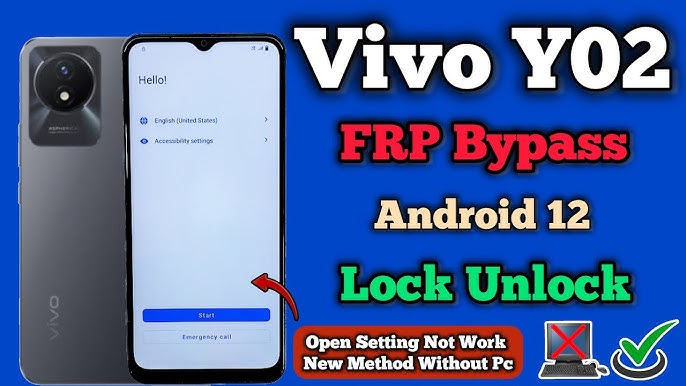
Android has a helpful security feature known as Factory Reset Protection (FRP), which is an inconvenience as far as one cannot remember the details of his/her Google account. VNROM bypass Vivo Y02 is among the most valid solutions in the market today in case you are locked out of your Vivo Y02 after a factory reset.
Through this guide you will know how to bypass FRP on Vivo Y02 without PC, how the process of VNROM works and why the method is most popular even in the year 2026. The article is comprehensible to both new and experienced users, since it has simple steps and precautions.
What Is VNROM Bypass?
VNROM Bypass is a widely used android FRP unlock technique that assists the user to eliminate the Google account confirmation on the locked media. It is operated by applying a mix of Activity Launcher, Google Assistant, or browser access tricks to get around the FRP screen.
In some cases, such as the Vivo Y02, VNROM can be used since that does not need a computer and can be performed on the phone itself.
About Vivo Y02 and FRP Lock
Vivo Y02 is an inexpensive Android-based smartphone that was released in 2022 and is primarily utilized in everyday life when performing everyday activities such as calls, social media, and browsing. It operates using android Go version that has stringent Google security.
By simply rebooting the phone without deleting the Google account, FRP lock is enabled and requires the account that was earlier synchronized. Here, VNROM bypass Vivo Y02 2022 comes in handy.
Why Use VNROM Bypass Vivo Y02?
The following are the key reasons why users opt to use it:
- No PC required
- 100% free method
- Works on Android Go devices
- Easy for beginners
- New tricks that will be active in 2026.
A lot of people are fond of using VNROM uninstall Vivo Y02 without PC since PC tools are usually charged, dangerous, or prohibited by antivirus programs.
VNROM Bypass Vivo Y02 No PC -Operation
VNROM technique exploits the Android system vulnerabilities that enable a restricted accessibility to the phone settings when the said setup is being done. It is possible to open Chrome or system applications there, and delete the Google account manually.
It is a non-destructive way of protecting your phone, does not affect warranty, and is reversible.
Requirements Before Starting
Prior to starting the process of VNROM bypass, prepare to have:
- Vivo Y02 with FRP lock
- Stable Wi-Fi connection
- Patience (process is 1015 minutes)
There is no need of any laptop, USB cable, or even software that is paid.
Step-by-Step VNROM Bypass Vivo Y02 (Free Method)
Step 1: Start Device Setup
Switch on your Vivo Y02 and follow the initial setup until you get to the Google account verification screen.
Step 2: Emergency Dialer Trick.
- Tap Emergency Call
- Enter a special code (depending on security patch)
- Modify access device settings indirectly.
Step 3: Open Browser Access
After having few settings:
- Activate the TalkBack or the Voice Assistant.
- Open Chrome browser
- DNROM related search pages.
Step 4: Download Required APK
Use the browser to download:
- Activity Launcher APK
- Google Account Manager (compatible version)
That is why, a lot of users are going to Google and typing VNROM bypass Vivo Y02 free download.
Step 5: Remove Google Account
- Open Activity Launcher
- Go to Google Account settings.
- Add a new Google account
- Restart the phone
FRP lock will be removed successfully after a successful reboot.
Is VNROM Bypass Vivo Y02 Safe?
Yes, if done correctly. VNROM bypass:
- Does not steal data
- Does not install malware
- Does not require root
Nevertheless, never use the websites purporting to unlock with a single click or to sell APKs.
VNROM Bypass Vivo Y02 2022- Are they still working in 2026?
Yes
Even though Vivo releases security patches, a large number of VNROM exploits of Vivo Y02 2022 may continue to function with minor modifications. The Android Go devices are updated very rarely, thus making the FRP loopholes more challenging to close.
Common Problems & Solutions
Problem: APK Not Installing
- Enable “Install Unknown Apps”
- Use incompatible older APK versions.
Issue: Google Checkup Still Persists
- Repeat process carefully
- Clear Google Services cache
VNROM vs PC FRP Tools
VNROM is better for users who:
- Don’t have a PC
- Want free solutions
- Prefer manual control
PC tools are quicker and commonly expensive and hazardous.
Legal & Ethical Notice
VNROM bypass must be applied only:
- On your own device
- If you forgot your account
- With proper ownership proof
Applying it to stolen gadgets is a crime.
How to prevent FRP Lock in the Future
- Do not forget to remove Google account.
- Store Google usernames and passwords safely.
- Turn off FRP when selling phone.
Final Thought
VNROM bypass Vivo Y02 is one of the best and free FRP unlocking processes in 2026. Be it to bypass Vivo Y02 without PC, free download options, or a tutorial to Vivo Y02 2022, this is a solution that provides credible outcomes as long as it is properly executed.
FAQs
Is VNROM bypass Vivo Y02 free?
Yes, the technique is entirely free and does not involve an expensive software.
Is it possible to perform VNROM bypassing Vivo Y02 without PC?
Yes, this guide is made specially to the users without PC.
Does VNROM circumvent work on Vivo Y02 2022 model?
It does work with the 2022 model and it works with a significant number of users in 2026.
Is VNROM bypass legal?
It is not illegal provided that you use it with your own phone with permission.
Do I have my data deleted after bypass?
Yes, information is typically deleted as a result of factory reset.
Read about: Update OPPO Phones to Android 15