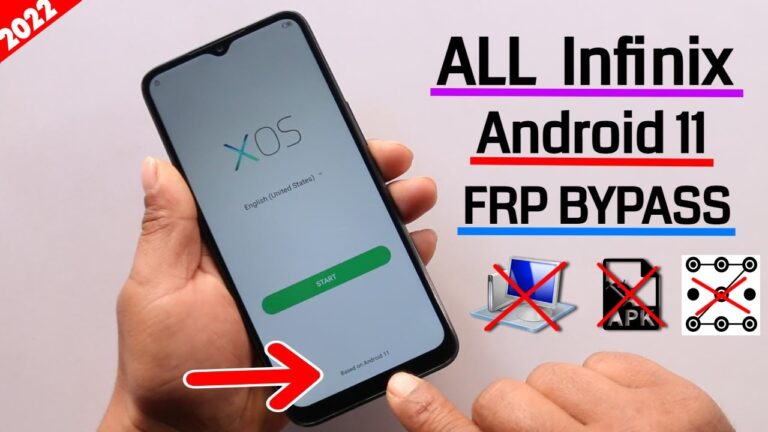
FRP is used to ensure the security of android devices against unauthorized access, although it may prove to be a tremendous issue where the user loses their Google account information. In the event that your phone has been caught on the Google verification screen, VNROM Oppo A32 is by far one of the best and most free solutions in the market.
This step-by-step manual is a detailed instruction of how to download VNROM Oppo A32, the functioning of VNROM Oppo A32 APK, and how to unlock FRP without professional technical knowledge. The article has been written using simple English and is updated to Android security patches as of 2026.
What Is VNROM?
VNROM is a popular Android FRP bypass tool that assists users to bypass the Google account activation following a factory reset. Rather than paid PC software, VNROM uses access methods to systems (Activity Launcher, browser access, and Android setups loopholes).
In the case of mid-range gadgets such as the Oppo A32, VNROM is commonly used due to the following reasons:
- It is free
- It maintains and supports Android 10, 11, and beyond patches.
- It works without root
- It does not involve high-level tools.
About Oppo A32 Smartphone
Oppo A32 is a low-end Android device that boasts of good performance and extended battery life. It was also published with Android 10 and was updated to Android 11, which has increased the security of the FRP compared to older models.
Due to such security updates, VNROM Oppo A32 APK download is also commonly searched by users who have performed a reset on their device to be able to access it again.
Why Users Choose VNROM Oppo A32
The following are the key reasons why VNROM will continue being a leading choice in 2026:
✔ Free FRP bypass method
✔ No PC or laptop required
✔ Oppo A32 compatible firmware.
✔ Safe and reversible
✔ Beginner-friendly steps
In comparison with numerous paid apps, VNROM Oppo A32 download does not impose subscriptions and falsely claimed success.
How VNROM Oppo A32 APK Works
Android system permissions that are present at the first phone setup are exploited in the VNROM method. By opening system apps like:
- Google Assistant
- Chrome browser
- Customising through Activity launcher.
FRP lock is disabled by the addition of a new Google account by the user.
That is why VNROM Oppo A32 APK is actively employed with the help of Activity Launcher tools.
Requirements Before Starting
Ensure that before you begin the VNROM bypass procedure you have:
- Oppo A32 with FRP lock
- Stable Wi-Fi connection
- 10–20 minutes of time
It does not require any PC, USB cable, or purchase of software.
VNROM Oppo A32 Download – Requirements
The following software might be required during the bypass process:
- Activity Launcher APK
- Google Account Manager (compatible version)
The files are usually searched as VNROM Oppo A32 APK download, although it is always advisable to use credible sources in order to avoid malware.

How to Bypass FRP Step-by-Step Oppo A32 VNROM
Step 1: Start Initial Setup
Switch on your Oppo A32 and follow up the setup until you are on the Google account verification page.
Step 2: Turn on the Accessibility Features
- Activate TalkBack or Accessibility Menu.
- Touch gestures on accessing help or browser links.
Step 3: Open Browser
As soon as a browser access is provided:
- android search Activity Launcher APK.
- Unknown sources. Enable unknown sources.
The step plays a pivotal role in the use of VNROM Oppo A32 APK.
Step 4: Install Required APK
- Install Activity Launcher
- Click on the account and locate Google account settings.
Step 5: Add New Google Account
- Add a new Google account
- Restart the phone
FRP lock will be eliminated successfully after reboot.
Is VNROM Oppo A32 Safe to Use?
Yes, VNROM Oppo A32 is safe in use:
- No rooting required
- No hardware damage
- No software changes that are permanent.
Nonetheless, it can be dangerous to download APKs on unreliable sources, and one should be careful about that.
VNROM Oppo A32 on Android Newest Updates
Oppo A32 does not receive aggressive security updates, allowing many VNROM methods even with newer security patches to be functional. As of 2026, VNROM Oppo A32 download methods have continued to be reported to be successful by users.
Common Errors and Fixes
APK Installation Blocked
✔ Enable “Install Unknown Apps”
✔ Use compatible APK versions
FRP Lock Still Appears
✔ Repeat steps carefully
✔ Clear Google Services cache
VNROM vs Paid FRP Tools
| Feature | VNROM | Paid Tools |
|---|---|---|
| Cost | Free | Paid |
| PC Required | No | Yes |
| Risk | Low | Medium |
| Success Rate | High | High |
VNROM best suits the users who wish to have a free and manual option.
Legal Disclaimer
VNROM bypass is only to be used:
- On your own Oppo A32
- In case you have lost your Google account.
- With legal ownership
Working with stolen devices is unlawful with the help of FRP.
Prevention of FRP Lock in Future
- Wipe Google account prior to reset.
- Storing save accounts safely.
- Switch off FRP when selling phone.
Advantages of VNROM Oppo A32
- No technical knowledge is needed.
- Works without PC
- Lightweight APK files
- Reliable to Android users all over the world.
- Limitations of VNROM
- Unsuitable with not all firmware.
- Requires patience
The level of security patches depends.
Final Review: VNROM Oppo A32 (2026)
VNROM Oppo A32 is also among the most trusted FRP bypass techniques in the market today. Use this solution to unlock your phone safely and free of charge whether you are looking to find VNROM Oppo A32 Apk, VnROM Oppo a32 download, or full apk download instruction.
Using the right steps and trusted files, people will be able to restore full access to their Oppo A32 without any professional tools.
FAQs
Is VNROM Oppo A32 free to use?
Yes, VNROM is completely free.
Can I bypass FRP without PC?
Yes, VNROM Oppo A32 does not need PC.
Is VNROM Oppo A32 APK safe?
Yes, in case they are downloaded on reputable websites.
Does this work on Android 11?
Yes, the Android 10 and 11 version is supported in most cases.
Q5: Will my data be deleted?
Yes, factory reset removes the old data.