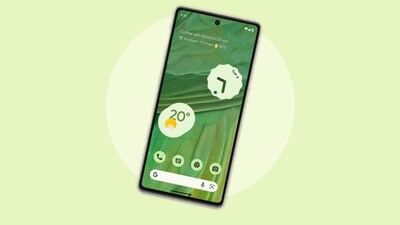
Android 15 continues Google’s quiet but meaningful evolution of the Android interface. Instead of dramatic visual overhauls, the focus is on refinement—cleaner layouts, smarter space usage, and more consistent system behavior across devices. One of the most discussed changes among developers and advanced users is the idea of merging status bars on Android 15.
At first glance, this may sound like a minor UI tweak. In practice, it has real implications for usability, app design, multitasking, and how immersive experiences are built on modern Android devices. If you care about how Android looks, behaves, or is customized—whether as a user, designer, or developer—this guide will help you understand what’s changing and why it matters.
Why the Status Bar Still Matters in 2026
The status bar is one of the oldest elements of Android’s interface. It shows time, battery, network, notifications, and system indicators—information users rely on constantly, even when they don’t consciously notice it.
Over the years, Android devices have grown taller, gained punch-hole cameras, dynamic cutouts, and edge-to-edge displays. This created tension between content immersion and persistent system information. Android 15 addresses that tension by encouraging a more unified, merged approach to the status bar—especially in full-screen and multi-window scenarios.
In simple terms, merging status bars on Android 15 means reducing visual duplication and blending system UI more intelligently with app content, instead of treating the status bar as a rigid, always-separate strip.
What “Merging Status Bars” Actually Means
Merging status bars does not mean removing them entirely. Instead, it refers to:
- Allowing apps to draw behind the status bar by default
- Dynamically adjusting icon contrast and visibility
- Unifying multiple system UI layers into a single visual zone
- Reducing wasted vertical space on modern displays
In Android 15, Google has refined window insets, edge-to-edge defaults, and system UI behaviors so the status bar feels less like a border and more like a contextual overlay.
From a user perspective, this looks cleaner and more immersive. From a developer perspective, it requires more intentional layout decisions.
Design Philosophy Behind Android 15’s Approach
Android’s design direction is clear: content first, chrome second.
Instead of forcing apps to avoid the status bar area, Android 15 encourages apps to embrace it. When done correctly, icons, time, and indicators visually merge with the app’s top surface without sacrificing readability.
This is especially important for:
- Foldables and tablets
- Devices with very tall aspect ratios
- Media-heavy and immersive apps
- Multi-window and split-screen usage
One lesson I learned while testing Android 15 previews is that small spacing decisions near the top of the screen now have a bigger impact on perceived quality than ever before.
How Android 15 Handles System UI Integration
Android 15 builds on earlier changes introduced in Android 12–14, but with more consistency.
Key behaviors include:
- Edge-to-edge layouts enabled by default
- Insets that adapt dynamically to cutouts and gestures
- Automatic status bar icon theming based on background contrast
- Smarter handling of transparent and translucent system bars
Instead of forcing developers to hard-code padding or offsets, Android 15 provides clearer signals about safe drawing areas—making it easier to create layouts that feel merged without being broken.
Practical Benefits of Merging Status Bars on Android 15
This approach delivers value beyond aesthetics.
1. More Screen Real Estate
On compact devices, every pixel matters. Merged status bars reclaim vertical space without hiding important information.
2. Cleaner Visual Hierarchy
When the status bar blends naturally into the app’s top surface, users focus on content instead of UI boundaries.
3. Better Immersion
Video players, reading apps, and games benefit significantly from a unified top area.
4. Consistency Across Devices
Android 15 reduces manufacturer-specific hacks by promoting a more standardized system behavior.
5. Improved Multi-Window Experience
Merged status bars prevent awkward double bars when apps run side-by-side.
Where Challenges Still Exist
Despite the improvements, merging status bars on Android 15 is not friction-free.
- Contrast issues can occur if background colors aren’t chosen carefully
- Legacy apps may display cramped or misaligned content
- Notification visibility can suffer in poorly designed layouts
- Customization layers from OEMs may override expected behavior
The responsibility now shifts more toward app quality and thoughtful design rather than relying on system defaults.
A Real-World Scenario: Navigation Apps in Daily Use
Imagine using a navigation app while driving. On older Android versions, the status bar often felt disconnected—either hiding information or wasting space.
With Android 15:
- The map extends naturally to the top edge
- The status bar overlays subtly without blocking visibility
- Icons adapt to the map’s color scheme
- Important alerts remain readable
The result feels more modern and less cluttered, even though the same information is still present.
How This Affects App Developers and Designers
For anyone building Android apps, Android 15’s approach requires a mindset shift.
Instead of asking, “How do I avoid the status bar?”
The better question is, “How do I design with the status bar?”
Key considerations include:
- Testing across light and dark backgrounds
- Using adaptive colors and Material theming
- Respecting insets dynamically rather than hard-coding margins
- Thinking in terms of layers, not fixed regions
Apps that get this right feel premium. Apps that don’t stand out—in a bad way.
Also read about VNROM FRP Bypass
Behavior Differences Across Android Versions
| Aspect | Pre-Android 13 | Android 14 | Android 15 |
|---|---|---|---|
| Edge-to-edge default | Optional | Encouraged | Standard |
| Status bar integration | Limited | Partial | Deeply integrated |
| Icon contrast handling | Manual | Improved | Largely automatic |
| Multi-window behavior | Inconsistent | Better | Unified |
| Developer effort required | High | Medium | More intentional, but cleaner |
This progression shows that Android 15 is less about adding features and more about polishing fundamentals.
Decision-Making: Should You Embrace Merged Status Bars?
Whether you’re a power user customizing your device or a developer maintaining apps, the decision comes down to intent.
Merged status bars make sense when:
- Your app is content-focused
- Visual immersion matters
- You support modern devices
- You value long-term design consistency
They may be less suitable for:
- Utility apps with dense controls at the top
- Legacy layouts that aren’t actively maintained
- Environments where OEM customization heavily alters system UI
In most modern scenarios, though, leaning into Android 15’s approach is the future-proof choice.
Distinct Value Most Guides Miss
Many articles talk about how Android 15 changes the status bar. Fewer explain why it feels better when done right.
The real value lies in cognitive load reduction. When visual boundaries disappear, users process information faster and feel less friction—even if they can’t articulate why. This is subtle design maturity, not a flashy feature.
That’s the quiet strength of merging status bars on Android 15.
Common Questions Answered
Does merging the status bar hide notifications?
No. Notifications remain accessible and visible. The change affects layout and visual integration, not system functionality.
Is this behavior mandatory in Android 15?
The system encourages it, but developers still control how their apps draw content. Poor implementations are possible, though increasingly discouraged.
Will this look the same on all brands?
Not entirely. Manufacturers still apply their own UI layers, but Android 15 reduces extreme differences compared to older versions.
Can users disable merged status bars?
There’s no single universal toggle, but some OEMs may offer display or immersion settings that alter behavior.
Does this affect battery or performance?
No measurable impact. It’s a UI and layout change, not a background process or service.
Final Thoughts
Merging status bars on Android 15 isn’t about removing system UI—it’s about respecting modern screen realities. As devices evolve, rigid interface boundaries no longer make sense. Android 15 responds by blending information and content more intelligently, giving users a cleaner and more immersive experience.