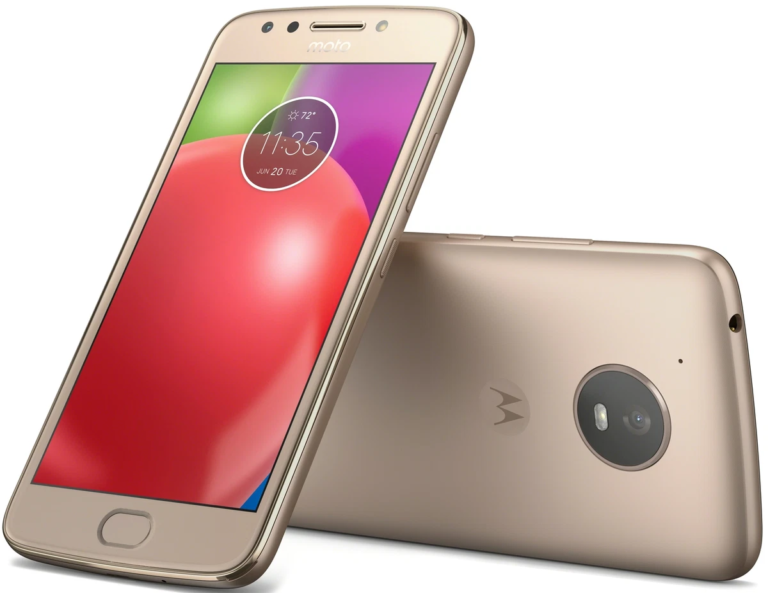
Google Lock, commonly known as Factory Reset Protection (FRP), is a built-in Android security feature designed to protect user data after a factory reset. Motorola devices running Android 5.1 and above automatically enable this feature when a Google account is added to the phone. Many users search for bypass Google lock on Motorola when they are locked out of their own device after a reset. This article explains the concept in detail, why it occurs, and what legitimate options are available to resolve the issue.
Understanding Google Lock on Motorola Devices
Google Lock is activated automatically once a Google account is signed in on a Motorola smartphone. If the device is factory reset using recovery mode or device settings without removing the Google account first, the system requires the same account credentials during setup. This mechanism ensures that stolen or lost devices cannot be reused easily. When users talk about bypass Google lock on Motorola, they are usually referring to regaining access to a phone they legitimately own but can no longer unlock.
Motorola integrates Google’s FRP system directly into its software layer, which means the protection works across most Motorola models including Moto G, Moto E, Moto Edge, and Moto One series. The lock is linked to Google’s servers, making it difficult to remove without proper verification.
Why Google Lock Appears After a Reset
The most common reason users encounter Google Lock is performing a factory reset without signing out of the Google account first. This often happens when the phone becomes slow, freezes frequently, or is reset during troubleshooting. Another common scenario includes buying a second-hand Motorola device where the previous owner did not remove their Google account.
In such cases, users start searching online for bypass Google lock on Motorola, assuming it is a technical glitch. However, from Google’s perspective, the lock is working exactly as intended to prevent unauthorized access.
Is It Legal to Bypass Google Lock on Motorola?
This is an important question. Google Lock is a security feature, and bypassing it using unofficial tools or hidden exploits may violate Google’s terms of service and local cyber laws. Attempting to bypass Google lock on Motorola without proof of ownership can also raise ethical and legal concerns.
If you are the rightful owner of the device, the recommended approach is not to vnrom bypass security but to verify ownership using official recovery methods. Manufacturers and Google provide legitimate ways to regain access that do not involve breaking security protections.
Official Ways to Regain Access to a Locked Motorola Phone
For users who are locked out, the safest solution is account recovery. Google allows users to recover their account by verifying identity through email, phone number, or security questions. Once the correct credentials are entered, the Google Lock is removed automatically during setup.
Motorola also offers customer support options. By contacting Motorola support with proof of purchase, such as an invoice or box IMEI number, users may be guided toward authorized service solutions. These methods respect device security and avoid risks associated with unofficial bypass attempts.
This approach is very different from what people usually expect when searching for bypass Google lock on Motorola, but it is the only safe and reliable path.
Risks of Unofficial FRP Bypass Methods
Many websites and videos claim to offer instant solutions for bypass Google lock on Motorola. These methods often involve third-party tools, modified firmware, or hidden menus. While they may sound tempting, they carry serious risks.
Using unofficial tools can expose your device to malware, spyware, or data theft. Some tools collect personal data in the background, while others damage system files, causing boot loops or permanent software failure. In many cases, such attempts void the warranty and may permanently block future software updates.
From an informational standpoint, it is important to understand that bypassing security features weakens device safety and can lead to long-term issues.
Google Lock and Second-Hand Motorola Devices
One of the biggest reasons behind searches for bypass Google lock on Motorola is the resale market. Many users buy used Motorola phones online or locally without checking FRP status. If the previous owner did not remove their Google account, the new user gets stuck at the verification screen.
The safest practice is to always verify that a used device is signed out from all Google accounts before purchasing. If already locked, contacting the seller is often the only legitimate solution. This highlights why Google Lock exists in the first place: to protect ownership.
How Google Lock Protects User Data
Google Lock is not just an inconvenience; it is a strong privacy safeguard. Motorola devices store personal data such as photos, emails, contacts, and app access. Without FRP, a simple reset would allow anyone to access the phone.
By requiring original credentials, Google ensures that even if a device is stolen, user data remains protected. Understanding this purpose helps explain why bypass Google lock on Motorola is intentionally difficult and discouraged outside official channels.
Common Myths About Google Lock Bypass
A popular myth is that Google Lock can be removed permanently with a single reset. In reality, the lock is server-based and tied to the Google account, not just the device. Another myth is that all bypass tools are safe because they are widely shared online. Most of these tools are unverified and potentially harmful.
Some users also believe that older Motorola models are easier to unlock. While older Android versions had vulnerabilities, Google regularly patches these issues. Today, attempting to bypass Google lock on Motorola using outdated tricks rarely works and often causes more problems.
Importance of Account Management Before Reset
One of the simplest ways to avoid Google Lock is proper account management. Before resetting a Motorola phone, users should always remove their Google account from settings. This deactivates FRP and prevents lockout.
This practice is especially important for students, resellers, and repair technicians who frequently reset devices. Awareness is the best prevention, reducing the need to ever search for bypass Google lock on Motorola.
Educational Perspective on Google Lock
From an educational and informational point of view, Google Lock demonstrates how modern smartphones prioritize security over convenience. Motorola, as a brand, follows Google’s security standards closely to ensure user trust.
Understanding how FRP works helps users make better decisions, avoid scams, and protect their personal data. Instead of focusing on bypassing protection, learning proper recovery methods is more beneficial and future-proof.
Future of Google Lock on Motorola Devices
As Android evolves, Google Lock is expected to become even stronger. Newer Motorola devices use improved encryption and tighter account binding. This means unofficial bypass attempts will become less effective over time.
Google is also improving account recovery options, making it easier for legitimate owners to regain access without compromising security. This balance between usability and protection defines the future of Android security.
Conclusion
The term bypass Google lock on Motorola is widely searched, but often misunderstood. Google Lock exists to protect users, not to inconvenience them. While being locked out of your own device can be frustrating, unofficial bypass methods carry serious risks and legal concerns.
The safest and most reliable approach is always to use official recovery options, verify ownership, and manage accounts properly before resetting a device. Understanding Google Lock from an informational perspective empowers users to handle such situations responsibly and securely.
FAQs
What does bypass Google lock on Motorola mean?
It refers to attempts to regain access to a Motorola device that is locked by Google’s Factory Reset Protection after a reset. Informationally, it describes the situation rather than a recommended action.
Why is my Motorola phone asking for a Google account after reset?
This happens because Google Lock was enabled when a Google account was previously signed in, and the phone was reset without removing that account.
Is it safe to use online tools to bypass Google lock on Motorola?
No, most third-party tools are unsafe, unverified, and may harm your device or compromise personal data.
What is the official way to unlock a Google-locked Motorola phone?
The official way is to sign in with the original Google account or recover the account through Google’s account recovery process.
Can Google Lock be avoided in the future?
Yes, by removing the Google account from settings before performing a factory reset, Google Lock will not activate.