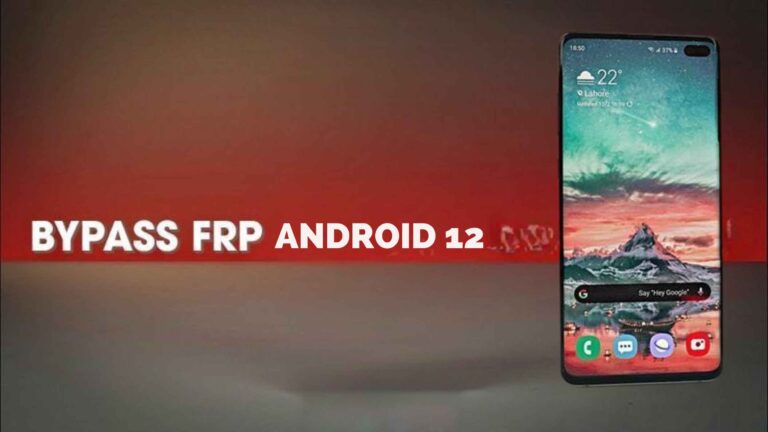
Learn how to safely bypass FRP on Android 9–14 using VNROM. Step-by-step guide for Samsung, Xiaomi, Motorola, LG & more devices
Factory Reset Protection (FRP) is a safety feature on Android phones. It makes sure that if your phone gets reset, only the person who owns the Google account can use it.
Why FRP Is Important
- Keeps your phone safe from strangers
- Stops anyone from misusing it if it’s lost or stolen
User problem: If you forget your Google account details, you cannot access the phone after a reset.
Why You Need an FRP Bypass
FRP lock is useful, but it can create problems:
- Forgetting Google account details
- Buying a second-hand phone that is FRP locked
- Losing access after a device reset
Solution: VNROM FRP bypass tool. It is safe, simple, and reliable for Android 9–14 devices.
VNROM FRP Bypass – Features
- Works on Android 9–14 devices
- Works with Samsung, Xiaomi, Motorola, LG, and lots more
- Super easy to use, even if you’re new to it
- No technical expertise required
- Free to download and use
User intent: Find a reliable and safe tool to unlock FRP-locked devices.
Requirements Before Starting VNROM FRP Bypass
- Android device (version 9–14)
- Stable Wi-Fi connection
- VNROM FRP APK File
- Optional: PC (for certain brands or versions)
- USB cable (if using the PC method)
- Backup of important data
User intent: Prepare everything before starting to avoid errors.
Step-by-Step VNROM FRP Bypass Guide
Step 1 – Prepare Your Device
- Power on your device
- Connect to Wi-Fi
- Reach the “Verify your account” screen
Tip: Keep your battery over 50% so nothing stops midway.
Step 2 – Download & Install VNROM APK
- Download VNROM from official website
- Enable “Unknown Sources” (or allow installation from unknown apps)
- Install the APK
Tip: Only use trusted APKs. Dodgy ones can cause viruses or mess up your phone.
Step 3 – Start FRP Bypass
- Open the VNROM app
- Tap “Start FRP Bypass”
- Follow on-screen instructions carefully
- Device may restart several times
User intent: Step-by-step actionable instructions that actually work.
Step 4 – Complete Unlock
- Device will restart automatically
- Google account screen appears
- Add a new account or skip setup
- Device is now fully unlocked
Brand-Specific Tips
Samsung Devices
- Samsung FRP may require extra steps or permissions
- Use the latest VNROM version
- Follow prompts carefully to avoid errors
Xiaomi Devices
- Some MIUI versions may require the PC method
- Stable Wi-Fi is essential
- Some versions may restart multiple times
Motorola Devices
- Supported on Android 10–14
- Device may restart during bypass
- Keep PC method ready for certain versions
User intent: Solve brand-specific issues efficiently.
Common Issues & Solutions
| Problem | Solution |
| Tool not working | Check Android version, update VNROM |
| Device stuck on verify screen | Restart device and retry bypass |
| APK installation blocked | Enable “Unknown Sources” |
| Internet connection error | Switch to stable Wi-Fi |
| Device keeps restarting | Ensure correct VNROM version, follow prompts carefully |
User intent: Fix issues fast without any stress or confusion.
Safety Tips for VNROM FRP Bypass
- Only download VNROM from official website
- Backup your important data before starting
- Avoid unknown third-party apps for bypassing FRP
- Follow instructions exactly to prevent device issues
- Keep battery above 50% during process
User intent: Ensure a safe, low-risk bypass.
Troubleshooting – Advanced
- Re-download VNROM APK and ensure latest version if bypass fails
- Clear device cache before retrying
- For Samsung, check device region and firmware compatibility
- Ensure Wi-Fi is stable
User intent: Handle advanced scenarios without frustration.
FAQs
Q1: Is VNROM safe to use?
Yes, if downloaded from official source. Avoid pirated APKs.
Q2: Will this process delete my data?
Personal data usually remains safe, but backup is recommended.
Q3: Can VNROM bypass all Android versions?
VNROM works for Android 9–14. Newer devices may require updated versions.
Q4: Do I need a PC for all devices?
No, most devices can use the VNROM APK directly. PC is needed for certain Xiaomi models or newer versions.
Q5: What if the device restarts multiple times?
This is normal. Follow instructions and do not interrupt the process.
Final Thoughts
FRP lock is meant to keep your Android safe, but it can lock you out if you forget your Google account. VNROM FRP is an easy, reliable way to unlock phones running Android 9–14.