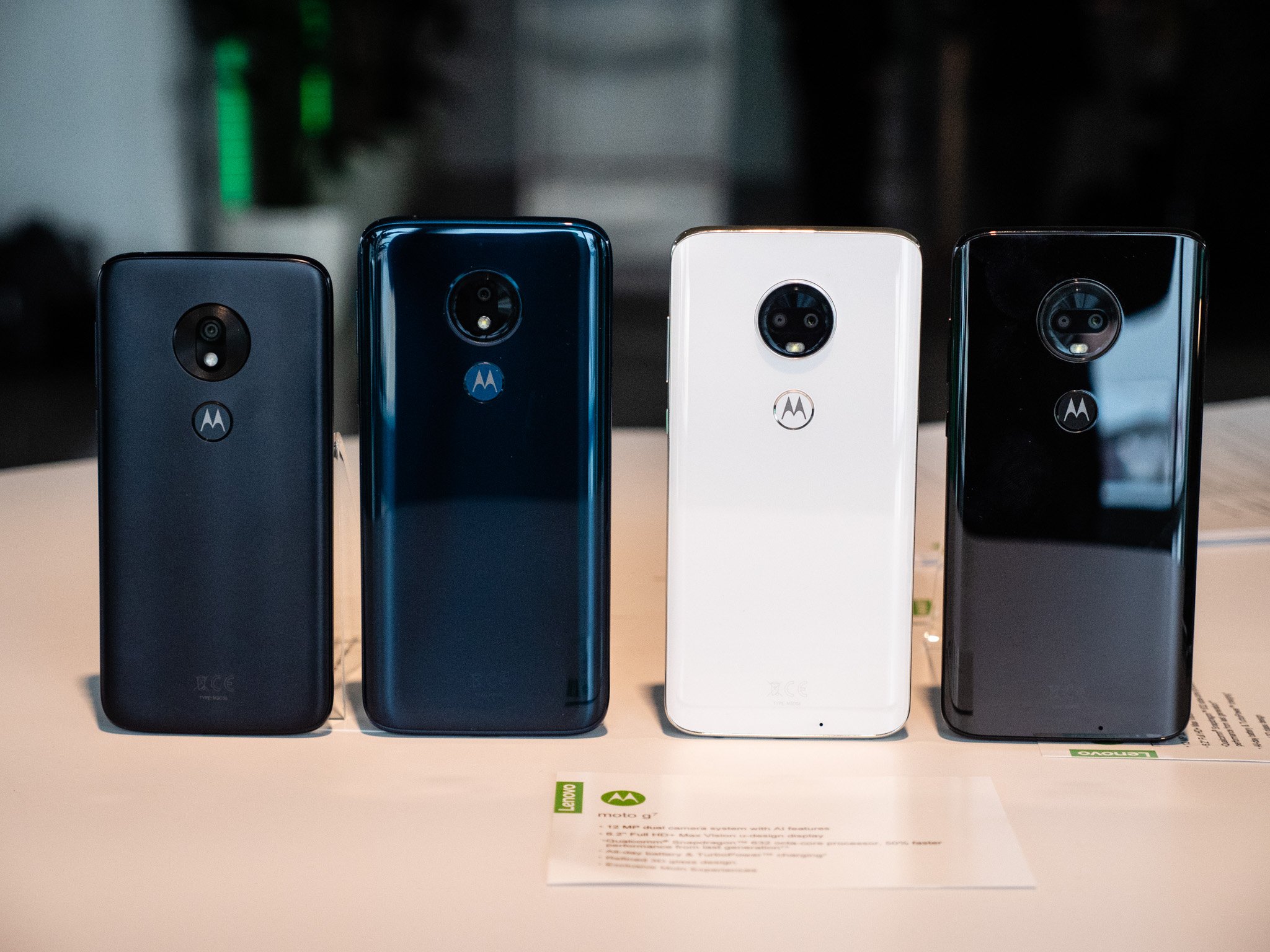
Motorola Moto G7 Power (XT1955) is one of the best performers in terms of battery retention and generally overall performance of the device. As with any smartphone however, over time, the device may suffer some software issues, and the user may also want to move back to the default stock firmware. This is the reason for Flashing Stock ROM (firmware) to come in. By flashing stock firmware, the device can be reset to original state, repair some software issues and also eliminate custom ROMs, giving the user the opportunity for a clean start.
Step-by-step instructions to flash firmware on Motorola Moto G7 Power (XT1955) is what this guide aims to achieve, with the appropriate downloadable links for the firmware files by region and carrier.
What Is Stock Firmware (ROM), and Why Might You Require It?
Motorola Stock Firmware (ROM) is the initial mobile operating system (OS) that the manufacturer (Motorola) gives to a mobile device. It is the oficial software that comes with the device out of the box. Stock firmware is beneficial for the following reasons:
- Device Restoration: During a device’s lifespan, it may experience numerous software-related problems, including boot loops, crashing, and other forms of software instability. In such cases, one of the ways to tackle the problems is to flash the OEM’s stock firmware. Doing so can restore the device back to a fully operational state.
- Factory Reset: When a user wants to remove the custom ROMs or other forms of software tweaking that he or she has installed on the device and wants to bring back the device to the state it was in when he or she purchased it, a flashing stock ROM should be done.
- Get to Receive OEM Updates: One of the functionalities of a Stock firmware is that it allows the user to receive system updates that the manufacturer offers.
- Safety: Flashing the stock ROM will ensure that the device runs on the most stable and secure version of Android that has been customized and optimized for the device.
Your Motorola Moto G7 Power (XT1955) Model Differentiation
There can be different Moto G7 Power, XT1955, models based on the region, type of carrier, and others. It is important to discover which of the Moto Power G7 XT1955 you have to prevent getting the firmware that will damage your phone or cause to be bricked. The major distributed models include:
- XT1955-1: Is primarily used in Region Brazil.
- XT1955-2: Is used in Latin America.
- XT1955-4: Is used in Europe and other international countries.
- XT1955-5: Is used in the United States and multiple of its carriers (Verizon, T-Mobile, etc.).
- XT1955-7: Is used in North America and some other parts.
Before flashing, you need to understand and check which device model you have. The model is on your phone’s back, or you can check by going to the Settings > About Phone > Model Number.
Procedure for Moto G7 Power XT1955 Stock Firmware Downloading
To flash the stock firmware, you will have to, first, download the correct firmware file for your model and region in device. Here is a list of countries and carriers which have firmware files for them.
TRAC:
- XT1955DL_OCEAN_TRAC_10_QPOS30.85-21-6_cid15_subsidy-TRAC_ONE_regulatory-DEFAULT_CFC.xml.zip
- XT1955DL_OCEAN_TRAC_9.0_PPOS29.114-134-16_cid15_subsidy-TRAC_ONE_regulatory-DEFAULT_CFC.xml.zip
TELSTRA:
- XT1955-7_OCEAN_TELSTRA_10_QPOS30.52-29-5_cid50_subsidy-DEFAULT_regulatory-XT1955-7-NON-EU_CFC.xml.zip
- XT1955-7_OCEAN_TELSTRA_9.0_PPOS29.114-144-9_cid50_subsidy-DEFAULT_regulatory-XT1955-7-NON-EU_CFC.xml.zip
RETRU:
- XT1955-7_OCEAN_RETRU_10_QPOS30.52-29-12_cid50_subsidy-DEFAULT_regulatory-XT1955-7-NON-EU_CFC.xml.zip
- XT1955-7_OCEAN_RETRU_9.0_PPOS29.114-134-13_cid50_subsidy-DEFAULT_regulatory-XT1955-7-NON-EU_CFC.xml.zip
VZW:
- XT1955-6_OCEAN_VZW_10_QCOS30.85-18-9_cid2_subsidy-VZW_RSU_QCOM_regulatory-DEFAULT_CFC.xml.zip
- XT1955-6_OCEAN_VZW_9.0_PDOS29.114-134-15_cid2_subsidy-VZW_RSU_QCOM_regulatory-DEFAULT_CFC.xml.zip
TMO:
- XT1955-5_OCEAN_TMO_10_QCOS30.85-18-10_cid21_subsidy-TMO_SPR_RSU_QCOM_regulatory-DEFAULT_CFC.xml.zip
- XT1955-5_OCEAN_TMO_9.0_PCOS29.114-134-17_cid21_subsidy-TMO_SPR_RSU_QCOM_regulatory-DEFAULT_CFC.xml.zip
RETUS:
- XT1955-5_OCEAN_RETUS_10_QPOS30.85-23-7_cid50_subsidy-DEFAULT_regulatory-DEFAULT_CFC.xml.zip
- XT1955-5_OCEAN_RETUS_9.0_PPOS29.114-134-16_cid50_subsidy-DEFAULT_regulatory-DEFAULT_CFC.xml.zip
RETCA:
- XT1955-5_OCEAN_RETCA_10_QPOS30.52-32-10_cid50_subsidy-DEFAULT_regulatory-DEFAULT_CFC.xml.zip
- XT1955-5_OCEAN_RETCA_9.0_PPOS29.114-134-7-1-2_cid50_subsidy-DEFAULT_regulatory-DEFAULT_CFC.xml.zip
TESCOGB:
- XT1955-4_OCEAN_TESCOGB_10_QPOS30.52-29-7-6_cid50_subsidy-TESCOGB_regulatory-DEFAULT_CFC.xml.zip
- XT1955-4_OCEAN_TESCOGB_9.0_PPOS29.114-134-13_cid50_subsidy-TESCOGB_regulatory-DEFAULT_CFC.xml.zip
RETIN:
- XT1955-4_OCEAN_RETIN_10_QPOS30.52-29-7-6_cid50_subsidy-DEFAULT_regulatory-XT1955-4-INDIA_CFC.xml.zip
- XT1955-4_OCEAN_RETIN_9.0_PPOS29.114-134-13_cid50_subsidy-DEFAULT_regulatory-XT1955-4-INDIA_CFC.xml.zip
WOMCL:
- XT1955-2_OCEAN_WOMCL_10_QPOS30.52-29-12_cid50_subsidy-DEFAULT_regulatory-DEFAULT_CFC.xml.zip
- XT1955-2_OCEAN_WOMCL_9.0_PPOS29.114-134-13_cid50_subsidy-DEFAULT_regulatory-DEFAULT_CFC.xml.zip
TEFMX:
- XT1955-2_OCEAN_TEFMX_10_QPOS30.52-29-12_cid50_subsidy-MOVSTLA_regulatory-DEFAULT_CFC.xml.zip
- XT1955-2_OCEAN_TEFMX_9.0_PPOS29.114-134-13_cid50_subsidy-MOVSTLA_regulatory-DEFAULT_CFC.xml.zip
TEFCL:
- XT1955-2_OCEAN_TEFCL_10_QPOS30.52-29-12_cid50_subsidy-DEFAULT_regulatory-DEFAULT_CFC.xml.zip
- XT1955-2_OCEAN_TEFCL_9.0_PPOS29.114-134-13_cid50_subsidy-DEFAULT_regulatory-DEFAULT_CFC.xml.zip
RETLA:
- XT1955-2_OCEAN_RETLA_SS_10_QPOS30.52-29-12_cid50_subsidy-DEFAULT_regulatory-DEFAULT_CFC.xml.zip
- XT1955-2_OCEAN_RETLA_SS_9.0_PPOS29.114-134-13_cid50_subsidy-DEFAULT_regulatory-DEFAULT_CFC.xml.zip
- XT1955-2_OCEAN_RETLA_DS_10_QPOS30.52-29-12_cid50_subsidy-DEFAULT_regulatory-XT1955-2-COSTARICA-DS_CFC.xml.zip
- XT1955-2_OCEAN_RETLA_DS_10_QPOS30.52-29-12_cid50_subsidy-DEFAULT_regulatory-DEFAULT_CFC.xml.zip
- XT1955-2_OCEAN_RETLA_DS_9.0_PPOS29.114-134-13_cid50_subsidy-DEFAULT_regulatory-XT1955-2-COSTARICA-DS_CFC.xml.zip
RETBR:
- XT1955-1_OCEAN_RETBR_10_QPOS30.52-29-12_cid50_subsidy-DEFAULT_regulatory-DEFAULT_CFC.xml.zip
- XT1955-1_OCEAN_RETBR_9.0_PPOS29.114-134-13_cid50_subsidy-DEFAULT_regulatory-XT1955-1-BRAZIL-MANAUS_CFC.xml.zip
RETAPAC:
- XT1955-7_OCEAN_RETAPAC_10_QPOS30.52-29-7-6_cid50_subsidy-DEFAULT_regulatory-XT1955-7-NON-EU_CFC.xml.zip
- XT1955-7_OCEAN_RETAPAC_9.0_PPOS29.114-134-13_cid50_subsidy-DEFAULT_regulatory-XT1955-7-NON-EU_CFC.xml.zip
TMO:
- XT1955-5_OCEAN_TMO_10_QCOS30.85-18-10_cid21_subsidy-MPCS_RSU_QCOM_regulatory-DEFAULT_CFC.xml.zip
- XT1955-5_OCEAN_TMO_9.0_PCOS29.114-134-17_cid21_subsidy-MPCS_RSU_QCOM_regulatory-DEFAULT_CFC.xml.zip
COMCAST:
- XT1955-5_OCEAN_COMCAST_10_QPOS30.85-18-10-4_cid50_subsidy-COMCAST_regulatory-DEFAULT_CFC.xml.zip
- XT1955-5_OCEAN_COMCAST_9.0_PPOS29.114-134-16_cid50_subsidy-COMCAST_regulatory-DEFAULT_CFC.xml.zip
CC:
- XT1955-5_OCEAN_CC_10_QPOS30.85-18-10_cid50_subsidy-CCAWS_regulatory-DEFAULT_CFC.xml.zip
- XT1955-5_OCEAN_CC_9.0_PPOS29.114-134-16_cid50_subsidy-CCAWS_regulatory-DEFAULT_CFC.xml.zip
ATT:
- XT1955-5_OCEAN_ATT_10_QCOS30.95-Q3-10-47-6_cid1_subsidy-CRICKET_RSU_regulatory-DEFAULT_CFC.xml.zip
- XT1955-5_OCEAN_ATT_9.0_PCOS29.114-134-20_cid1_subsidy-CRICKET_RSU_regulatory-DEFAULT_CFC.xml.zip
AMZ:
- XT1955-5_OCEAN_AMZ_10_QPOS30.85-23-7_cid50_subsidy-DEFAULT_regulatory-DEFAULT_CFC.xml.zip
- XT1955-5_OCEAN_AMZ_9.0_PPOS29.114-134-16_cid50_subsidy-DEFAULT_regulatory-DEFAULT_CFC.xml.zip
RETEU:
- XT1955-4_OCEAN_RETEU_10_QPOS30.52-29-7-6_cid50_subsidy-DEFAULT_regulatory-DEFAULT_CFC.xml.zip
- XT1955-4_OCEAN_RETEU_10_QPOS30.52-29-7-6_cid50_subsidy-DEFAULT_regulatory-DEFAULT_CFC.xml.zip
- XT1955-4_OCEAN_RETEU_9.0_PPOS29.114-134-13_cid50_subsidy-DEFAULT_regulatory-DEFAULT_CFC.xml.zip
RETAPAC:
- XT1955-4_OCEAN_RETAPAC_10_QPOS30.52-29-7-6_cid50_subsidy-DEFAULT_regulatory-XT1955-4-NON-EU_CFC.xml.zip
- XT1955-4_OCEAN_RETAPAC_9.0_PPOS29.114-134-13_cid50_subsidy-DEFAULT_regulatory-XT1955-4-NON-EU_CFC.xml.zip
EEGB:
- XT1955-4_OCEAN_EEGB_10_QPOS30.52-29-7-6_cid50_subsidy-EEGB_regulatory-DEFAULT_CFC.xml.zip
- XT1955-4_OCEAN_EEGB_9.0_PPOS29.114-134-13_cid50_subsidy-EEGB_regulatory-DEFAULT_CFC.xml.zip
TEFCL:
- XT1955-2_OCEAN_TEFCL_10_QPOS30.52-29-12_cid50_subsidy-DEFAULT_regulatory-DEFAULT_CFC.xml.zip
- XT1955-2_OCEAN_TEFCL_9.0_PPOS29.114-134-13_cid50_subsidy-DEFAULT_regulatory-DEFAULT_CFC.xml.zip
OPENMX:
- XT1955-2_OCEAN_OPENMX_10_QPOS30.52-29-12_cid50_subsidy-DEFAULT_regulatory-DEFAULT_CFC.xml.zip
- XT1955-2_OCEAN_OPENMX_9.0_PPOS29.114-134-13_cid50_subsidy-DEFAULT_regulatory-DEFAULT_CFC.xml.zip
ATTMX:
- XT1955-2_OCEAN_ATTMX_10_QPOS30.52-29-12_cid50_subsidy-IUSMXLA_regulatory-DEFAULT_CFC.xml.zip
- XT1955-2_OCEAN_ATTMX_9.0_PPOS29.114-134-13_cid50_subsidy-IUSMXLA_regulatory-DEFAULT_CFC.xml.zip
AMX:
- XT1955-2_OCEAN_AMX_10_QPOS30.52-29-12_cid50_subsidy-DEFAULT_regulatory-DEFAULT_CFC.xml.zip
- XT1955-2_OCEAN_AMX_9.0_PPOS29.114-134-13_cid50_subsidy-DEFAULT_regulatory-DEFAULT_CFC.xml.zip
AMXBR:
- XT1955-1_OCEAN_AMXBR_10_QPOS30.52-29-12_cid50_subsidy-DEFAULT_regulatory-DEFAULT_CFC.xml.zip
- XT1955-1_OCEAN_AMXBR_9.0_PPOS29.114-134-13_cid50_subsidy-DEFAULT_regulatory-DEFAULT_CFC.xml.zip
RETAIL:
- OCEAN_RETAIL_10_QPOS30.52-29-12_cid50_subsidy-DEFAULT_regulatory-DEFAULT_CFC.xml.zip
- OCEAN_RETAIL_9.0_PPOS29.114-134-13_cid50_subsidy-DEFAULT_regulatory-DEFAULT_CFC.xml.zip
How to Flash Stock Firmware on Motorola Moto G7 Power (XT1955)
To flash the stock firmware, certain steps and precautions must be taken. Following the steps below will help you flash the stock firmware on your Motorola Moto G7 Power.
Requirements:
- Motorola Mobile Drivers: These drivers will help your computer communicate properly with your phone.
- RSD Lite Tool: This is the program used to flash the firmware to your Motorola device.
- Stock Firmware File: Get the firmware that is meant for your device model and region.
Step-by-step Flashing Process:
1. Installation of Motorola Mobile Drivers:
- On your computer, download and install the Motorola Mobile Drivers. These drivers are important so that your PC can communicate with your Motorola device during the flashing process.
2. Retrieve and Extract the Firmware:
- From the above links, download the correct stock firmware according to your device model.
- Once the download is complete, extract the firmware zip file to a folder on your computer.
3. Install the RSD Lite Tool:
- RSD Lite is a software you can use to flash the firmware on your Motorola device.
- From a reliable website, download and install RSD Lite Tool.
4. Enter Fastboot Mode:
- Your phone must be in Fastboot Mode so you can flash the firmware.
- Power off your Moto G7 Power.
- To enter fastboot mode, press and hold both the power and volume down buttons until a screen appears, then release both buttons to enter the mode.
5. Connection of the Motorola Moto G7 to the PC for Detection:
- Use a USB connection to connect your Motorola Moto G7 Power to your PC.
- RSD Lite should detect your device in a moment.
6. Begin the Firmware Flashing Process:
- On your PC, open the already installed RSD Lite.
- Select the “…” located at the right of the RSD Lite window, then browse to find the folder containing the unzipped firmware.
- Choose the xml file and select the Start button to start the firmware flashing progress.
- You should wait for the flashing progress indicator to complete.
7. Reboot Your Device:
- Once the flashing process is complete, your phone will automatically reboot into the newly flashed firmware.
Important Notes Before Flashing:
- Backup Your Data: Flashing stock firmware will erase all the data on your device, so make sure to back up important files before proceeding with the flash.
- Charge Your Battery: Ensure that your phone has at least 50-60% battery to avoid the process being interrupted due to a low battery.
- Correct Firmware for Your Device: Ensure that you are flashing the correct firmware for your specific Motorola Moto G7 Power variant (e.g., XT1955-5, XT1955-7). Flashing the wrong firmware could result in a bricked device.
Final Thoughts
Flashing the stock firmware on your Motorola Moto G7 Power (XT1955) is the best way to restore your device to its factory state, correct some existing software errors, or to remove a custom ROM you may have installed. The process is simple and shouldn’t take too long to complete if you are careful in following the steps as you go. The most important thing is to make sure that you have the correct firmware file downloaded, and that you followed the steps on flashing correctly. If you have, you should have no issues at all.
We are here if you have any issues or further questions about the process. Flashing stock software is always a great way to breathe new life into the Motorola Moto G7 Power, and we are glad we could help in the process of restoring your device to factory software!
FAQs
Why do I need to flash Stock Firmware?
To remove a custom ROM that is installed, to restore factory settings, or to correct some errors in the device software.
Can I flash a phone that is not powering on?
If the device is able to go to the Fastboot Mode, then the answer is yes. But if not, you may need to consult a technician.
How do I go into Fastboot Mode?
Power down the device, then press both Volume Down and Power buttons together until you see the Fastboot screen show up.
How can I find out what firmware I need to download?
Look for the model number in the Settings app under About Phone, then download the appropriate firmware for the region and variant that you have.
Can I update using the stock firmware?
Yes, flashing the latest stock firmware updates the phone.