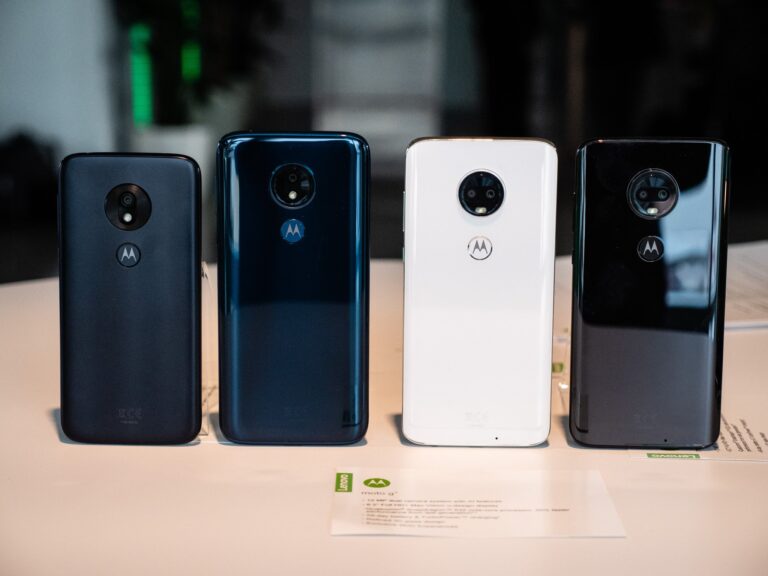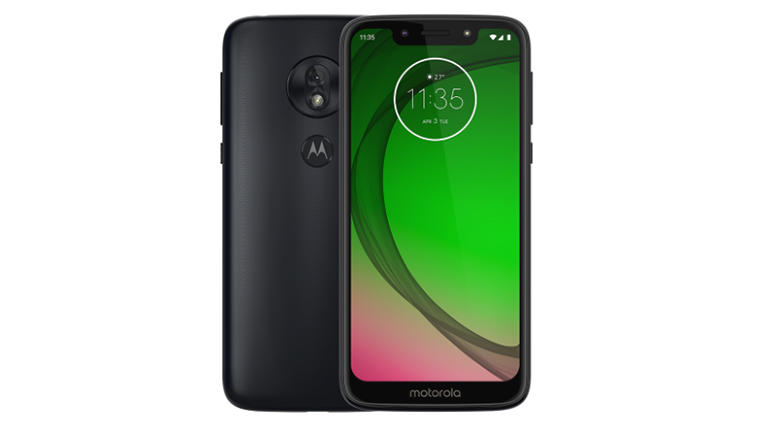
This guide is for anyone in search of the stock firmware for the Motorola Moto G7 Play (XT1952). We’ve compiled the necessary files and provided instructions for flashing different ROM versions to keep your device running optimally. Stock firmware is necessary to resolve issues like bootloops and malfunctioning custom ROMs. If your software needs a refresh, fully restoring your device using the correct stock firmware is the best way to go.
What is Stock ROM/Firmware?
A Stock ROM is an OEM Operating System. In the case of Motorola products such as the Moto G7 Play, the stock ROM is the firmware that the device comes with. Flashing stock firmware can help with:
- Bootloops
- System Crashes
- Unbricking Devices
- Restoring to Factory State
Removing Stock ROM can also help if you want to switch to another custom ROM that works better or if you want to advance or go back to a certain version of the Android Operating System from the current version you have.
Why Should You Flash Stock ROM?
There are a few reasons why a user may consider restoring the stock ROM of their Motorola Moto G7 Play (XT1952):
1. Restoring To Factory State
When the stock ROM is flashed, the data is deleted, and the device is restored to factory state.
2. Software Issue Fix
If your device is facing problems such as crashing, lag, or is stuck in a bootloop, you can fix it by flashing the stock ROM as the problems are likely to be caused by the current software.
3. Android Version Change
There are some cases when Android updates are skipped, and manual installation is preferred if the user wishes to upgrade or downgrade software to a preferred version.
Procedure for Moto G7 Power XT1952 Stock Firmware Downloading
To flash the stock firmware, you will have to, first, download the correct firmware file for your model and region in device. Here is a list of countries and carriers which have firmware files for them.
SPRINT:
- XT1952-4_CHANNEL_SPRINT_10_QPYS30.85-18-11_cid50_subsidy-DEFAULT_regulatory-DEFAULT_CFC.xml.zip
- XT1952-4_CHANNEL_SPRINT_9.0_PCYS29.105-217-2_cid50_subsidy-DEFAULT_regulatory-DEFAULT_CFC.xml.zip
RETCA:
- XT1952-4_CHANNEL_RETCA_10_QPYS30.52-22-11-4_cid50_subsidy-DEFAULT_regulatory-DEFAULT_CFC.xml.zip
- XT1952-4_CHANNEL_RETCA_9.0_PPYS29.105-220-3_cid50_subsidy-DEFAULT_regulatory-DEFAULT_CFC.xml.zip
TIGCO:
- XT1952-2_CHANNEL_TIGCO_10_QPYS30.52-22-14_cid50_subsidy-DEFAULT_regulatory-DEFAULT_CFC.xml.zip
- XT1952-2_CHANNEL_TIGCO_9.0_PPYS29.105-134-12_cid50_subsidy-DEFAULT_regulatory-DEFAULT_CFC.xml.zip
TEFMX:
- XT1952-2_CHANNEL_TEFMX_10_QPYS30.52-22-14_cid50_subsidy-MOVSTLA_regulatory-XT1952-2-MEXICO_CFC.xml.zip
- XT1952-2_CHANNEL_TEFMX_9.0_PPYS29.105-134-12_cid50_subsidy-MOVSTLA_regulatory-XT1952-2-MEXICO_CFC.xml.zip
TEFCO:
- XT1952-2_CHANNEL_TEFCO_10_QPYS30.52-22-14_cid50_subsidy-DEFAULT_regulatory-DEFAULT_CFC.xml.zip
- XT1952-2_CHANNEL_TEFCO_9.0_PPYS29.105-134-12_cid50_subsidy-DEFAULT_regulatory-DEFAULT_CFC.xml.zip
TEFCL:
- XT1952-2_CHANNEL_TEFCL_10_QPYS30.52-22-14_cid50_subsidy-DEFAULT_regulatory-DEFAULT_CFC.xml.zip
- XT1952-2_CHANNEL_TEFCL_9.0_PPYS29.105-134-12_cid50_subsidy-DEFAULT_regulatory-DEFAULT_CFC.xml.zip
RETLA:
- XT1952-2_CHANNEL_RETLA_10_QPYS30.52-22-14_cid50_subsidy-DEFAULT_regulatory-XT1952-2-COSTARICA-DS_CFC.xml.zip
- XT1952-2_CHANNEL_RETLA_10_QPYS30.52-22-14_cid50_subsidy-DEFAULT_regulatory-DEFAULT_CFC.xml.zip
- XT1952-2_CHANNEL_RETLA_9.0_PPYS29.105-134-12_cid50_subsidy-DEFAULT_regulatory-DEFAULT_CFC.xml.zip
RETBR:
- XT1952-2_CHANNEL_RETBR_10_QPYS30.52-22-14_cid50_subsidy-DEFAULT_regulatory-DEFAULT_CFC.xml.zip
- XT1952-2_CHANNEL_RETBR_9.0_PPYS29.105-134-12_cid50_subsidy-DEFAULT_regulatory-DEFAULT_CFC.xml.zip
RETAR:
- XT1952-2_CHANNEL_RETAR_10_QPYS30.52-22-14_cid50_subsidy-DEFAULT_regulatory-XT1952-2-ARGENTINA_CFC.xml.zip
- XT1952-2_CHANNEL_RETAR_9.0_PPYS29.105-134-12_cid50_subsidy-DEFAULT_regulatory-XT1952-2-ARGENTINA_CFC.xml.zip
TIMIT:
- XT1952-1_CHANNEL_TIMIT_10_QPYS30.52-22-8-9_cid50_subsidy-DEFAULT_regulatory-DEFAULT_CFC.xml.zip
- XT1952-1_CHANNEL_TIMIT_9.0_PPYS29.105-134-12_cid50_subsidy-DEFAULT_regulatory-DEFAULT_CFC.xml.zip
RETRU:
- XT1952-1_CHANNEL_RETRU_10_QPYS30.52-22-14_cid50_subsidy-DEFAULT_regulatory-XT1952-1-NON-EU_CFC.xml.zip
- XT1952-1_CHANNEL_RETRU_9.0_PPYS29.105-134-12_cid50_subsidy-DEFAULT_regulatory-XT1952-1-NON-EU_CFC.xml.zip
RETAIL:
- CHANNEL_RETAIL_10_QPYS30.52-22-14_cid50_subsidy-DEFAULT_regulatory-DEFAULT_CFC.xml.zip
- CHANNEL_RETAIL_9.0_PPYS29.105-134-12_cid50_subsidy-DEFAULT_regulatory-DEFAULT_CFC.xml.zip
- CHANNEL_RETAIL_9.0_PPY29.105-160-4_cid50_subsidy-DEFAULT_regulatory-DEFAULT_CFC.xml.zip
MPCS:
- XT1952-6_CHANNEL_T_MPCS_10_QPYS30.85-18-9-8_cid21_subsidy-MPCS_RSU_QCOM_regulatory-DEFAULT_CFC.xml.zip
- XT1952-6_CHANNEL_T_MPCS_10_QPYS30.85-18-9-7_cid21_subsidy-MPCS_RSU_QCOM_regulatory-DEFAULT_CFC.xml.zip
- XT1952-6_CHANNEL_T_MPCS_9.0_PCYS29.148-154-8_cid21_subsidy-MPCS_RSU_QCOM_regulatory-XT1952-6_CFC.xml.zip
ATT:
- XT1952-5_CHANNEL_ATT_10_QPYS30.95-Q3-10-62-3-26_cid1_subsidy-ATT_PREPAID_RSU_regulatory-DEFAULT_CFC.xml.zip
- XT1952-5_CHANNEL_ATT_10_QPYS30.95-Q3-10-62-3-24_cid1_subsidy-ATT_PREPAID_RSU_regulatory-DEFAULT_CFC.xml.zip
- XT1952-5_CHANNEL_ATT_10_QPYS30.95-Q3-10-62-3-22_cid1_subsidy-ATT_PREPAID_RSU_regulatory-DEFAULT_CFC.xml.zip
- XT1952-5_CHANNEL_ATT_10_QPYS30.95-Q3-10-62-3-20_cid1_subsidy-ATT_PREPAID_RSU_regulatory-DEFAULT_CFC.xml.zip
- XT1952-5_CHANNEL_ATT_10_QPYS30.95-Q3-10-62-3-17_cid1_subsidy-ATT_PREPAID_RSU_regulatory-DEFAULT_CFC.xml.zip
- XT1952-5_CHANNEL_ATT_10_QPYS30.95-Q3-10-62-3-15_cid1_subsidy-ATT_PREPAID_RSU_regulatory-DEFAULT_CFC.xml.zip
- XT1952-5_CHANNEL_ATT_10_QPYS30.95-Q3-10-62-3-12_cid1_subsidy-ATT_PREPAID_RSU_regulatory-DEFAULT_CFC.xml.zip
- XT1952-5_CHANNEL_ATT_10_QPYS30.95-Q3-10-62-3-10_cid1_subsidy-ATT_PREPAID_RSU_regulatory-DEFAULT_CFC.xml.zip
- XT1952-5_CHANNEL_ATT_9.0_PCYS29.105-247-8_cid1_subsidy-ATT_PREPAID_RSU_regulatory-DEFAULT_CFC.xml.zip
RETCA:
- XT1952-4_CHANNEL_RETCA_10_QPYS30.52-22-11-4_cid50_subsidy-DEFAULT_regulatory-DEFAULT_CFC.xml.zip
- XT1952-4_CHANNEL_RETCA_9.0_PPYS29.105-220-3_cid50_subsidy-DEFAULT_regulatory-DEFAULT_CFC.xml.zip
AMZ:
- XT1952-4_CHANNEL_AMZ_10_QPYS30.85-23-3_cid50_subsidy-DEFAULT_regulatory-DEFAULT_CFC.xml.zip
- XT1952-4_CHANNEL_AMZ_9.0_PPYS29.105-160-4-8_cid50_subsidy-DEFAULT_regulatory-DEFAULT_CFC.xml.zip
RETBR:
- XT1952-2_CHANNEL_RETBR_10_QPYS30.52-22-14_cid50_subsidy-DEFAULT_regulatory-DEFAULT_CFC.xml.zip
- XT1952-2_CHANNEL_RETBR_9.0_PPYS29.105-134-12_cid50_subsidy-DEFAULT_regulatory-DEFAULT_CFC.xml.zip
OPENMX:
- XT1952-2_CHANNEL_OPENMX_10_QPYS30.52-22-14_cid50_subsidy-DEFAULT_regulatory-XT1952-2-MEXICO_CFC.xml.zip
- XT1952-2_CHANNEL_OPENMX_9.0_PPYS29.105-134-12_cid50_subsidy-DEFAULT_regulatory-XT1952-2-MEXICO_CFC.xml.zip
ATTMX:
- XT1952-2_CHANNEL_ATTMX_10_QPYS30.52-22-14_cid50_subsidy-IUSMXLA_regulatory-XT1952-2-MEXICO_CFC.xml.zip
- XT1952-2_CHANNEL_ATTMX_9.0_PPYS29.105-134-12_cid50_subsidy-IUSMXLA_regulatory-XT1952-2-MEXICO_CFC.xml.zip
AMX:
- XT1952-2_CHANNEL_AMX_10_QPYS30.52-22-14_cid50_subsidy-DEFAULT_regulatory-XT1952-2-MEXICO_CFC.xml.zip
- XT1952-2_CHANNEL_AMX_9.0_PPYS29.105-134-12_cid50_subsidy-TELMXLA_regulatory-XT1952-2-MEXICO_CFC.xml.zip
RETEU:
- XT1952-1_CHANNEL_RETEU_10_QPYS30.52-22-8-9_cid50_subsidy-DEFAULT_regulatory-DEFAULT_CFC.xml.zip
- XT1952-1_CHANNEL_RETEU_9.0_PPYS29.105-134-9_cid50_subsidy-DEFAULT_regulatory-DEFAULT_CFC.xml.zip
How to Choose the Correct ROM for your Device
Motorola publishes firmware files for the different variants of the Moto G7 Play (XT1952). Make sure to download the right one for your region. Here are some of the most common XT1952 variants:
- XT1952-1 – Generally the Europe and Global variant.
- XT1952-2 – Generally for Latin American countries (Mexico, Costa Rica, etc.).
- XT1952-3 – For US carriers such as Verizon, T-Mobile.
- XT1952-4 – Sprint variant.
- XT1952-5 – For AT&T.
- XT1952-6 – Generally for MetroPCS.
Each of these variants has a specific firmware version for them. Flashing the wrong firmware can result in the phone becoming inoperable.
Websites Where You Can Get Stock ROMs for the Moto G7 Play (XT1952)
Here are some websites that you can obtain the stock ROM for your Moto G7 Play (XT1952) from. Ensure that you select the appropriate version that corresponds to your phone’s variant.
1. FirmwareDrive
For getting starting with Moto G7 Play Moto G7 Play firmware, a widely used resource online is FirmwareDrive. Multiple firmware versions that pertain to the XT1952 series can be obtained from the site.
2. MotoStockRom.com
One more valuable source from where the official stock firmware can be downloaded is MotoStockRom.com. All the variants of XT1952 series like XT1952-1, XT1952-2 etc. are covered by them.
3. AndroidFileHost
For Moto G7 Play and other Motorola devices, AndroidFileHost has a diversified archive of firmware files. The available files include a variety of the older versions along with the present current stable versions.
How to Flash the Stock ROM onto Your Moto G7 Play (XT1952)
Though the stock ROM has to be worked upon with care because the process is easy, after that, the work can be seamless, to begin with. The steps that you need to follow are to flash the firmware.
Requirements:
- USB Cable – So that your device can be connected to your computer.
- Motorola USB Drivers – If you want your device to be recognized by your PC.
- Firmware File – You should have downloaded this from any of the trusted sites that have been mentioned earlier.
- Fastboot Tools – This is required to be used for flashing the firmware.
Steps:
Backup Your Data
Your device data should be saved. Once you start the installation, all the data from the device will be erased. So before you start installing anything, make backups for your data.
Install Motorola USB Drivers
To allow the computer to recognize the phone, you must first download and install the appropriate Motorola USB Drivers for your computer.
Unlock Bootloader
Some Motorola devices may also require you to unlock the bootloader before you flash the firmware. You can unlock the bootloader by going to the official Motorola website and following the required steps.
Enter Fastboot Mode
To boot the phone to Fastboot mode, turn it off and, while it is entirely off, hold the Volume Down and Power buttons.
Connect Your PC to the Device
Link the device and your PC with a USB cable.
Flash Your Device
Now, on your PC, go to the Windows command prompt or terminal window, go to the directory that contains your firmware file, and then enter the required fastboot commands to flash the firmware on your device.
Common Issues When Flashing Stock ROM & Solutions
There can be various issues that can come up when flashing stock ROM. Below are some possible issues and their respective solutions.
Device isn’t Detected by Computer
Make sure that the Motorola USB drivers have been properly installed.
Failed Flashing
Make sure that the firmware that is selected is the correct one for your device variant.
Bootloop Following Flashing
Try fastbooting the boot.img and recovery.img files individually.
Errors in the Fastboot Process
Make sure that your device is in Fastboot mode and that the correct commands are entered.
Conclusion
Installing the stock ROM on your Motorola Moto G7 Play (XT1952) can help restore your phone and its functionality by getting rid of software problems and updating your phone to the latest official software. Resetting the device, stopping bootloops, and removing custom ROMs are requirements that can be filled by this guide while making sure that the whole process is done in a fast and safe manner.
Make sure to properly follow the steps and download the right stock firmware for your specific device variant to prevent issues.
FAQs
Why should stock firmware be flashed?
Stock firmware can be flashed in order to solve issues like booting issues, crashing, and lag issues. It can also better to remove custom ROMs and revert to stock.
Can I flash if my device is turned off?
Yes, if your device shows sign of life in Fastboot mode, then you will be able to flash it. If not, you will likely need to pay someone to help.
How can I get my device to Fastboot mode?
Power off your device. Then, press and hold the volume down button and the power button until the Fastboot mode screen shows.
How can I tell the firmware version of my device?
Look at the Model Number in Settings > About Phone and check against the firmware version in the table above. Then you can tell the firmware version.