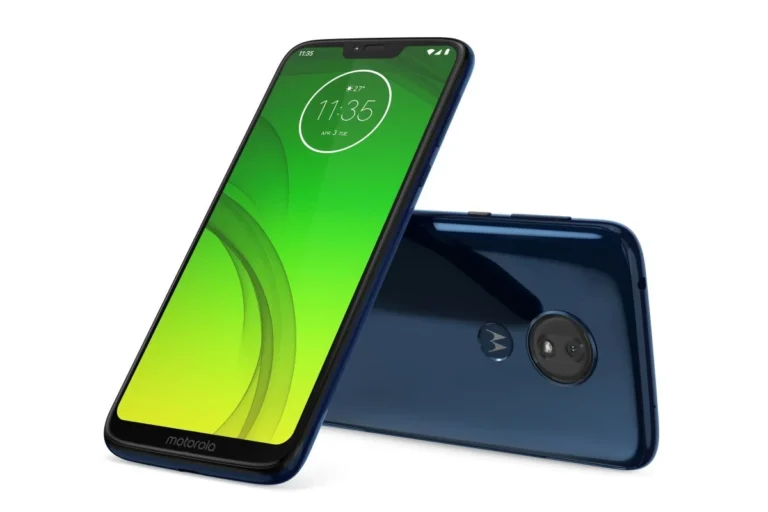
Motorola Moto X4 (XT1900) is one of the most chosen smartphone models in the range of mid to low budget smartphones. The device is appreciated for its build quality, dual camera functionality and overall performance. Some users may wish to restore or update their devices, and to do that, they need to download the correct Stock ROM/firmware. This article aims to help you preserve or restore your Motorola Moto X4 (XT1900) to its original firmware state.
Importance of Stock ROMs for Moto X4 (XT1900)
A Stock ROM is the original OS that is loaded onto your X4 during manufacturing. Stock ROMs are the most stable and secure types of software available. Since they are created by the device’s company (in your case, Motorola) the odds are they will work best with your device. Here are some reasons why getting a Stock ROM for your Moto X4 would be important.
- Restoring to Factory Settings: If you are looking to wipe your device and start over, a Stock ROM is a good way to reset your device to factory default settings.
- Fixing Software Issues: If your device is not performing to your expectations (i.e. it is lagging, or is irresponsive), your issues can be resolved by flashing the official firmware.
- Unbricking Your Phone: If your phone gets bricked (i.e. due to a boot loop, or the device is unresponsive), the best way to resolve this is by flashing a Stock ROM.
- Receiving the Latest Updates: Motorola provides firmware updates for a device’s OS by adding new features, security patch updates, and bug fixes. If you install the most up-to-date Stock ROM, it will improve your device’s security and features.
How to Install Stock ROM on Motorola Moto X4 (XT1900)
If you need to flash a Stock ROM on your Moto X4, it shouldn’t be difficult. Just follow a few simple steps:
- Backup your data: Your data will be wiped during the process, so make sure you backup your photos, apps, and contacts.
- Unlock the bootloader: In order to flash a Stock ROM on your Moto X4, you will need an unlocked bootloader. You can unlock it with Motorola’s official website, and the fastboot commands would be a good alternative.
- Download the correct ROM: Ensure you download the right firmware for your Moto X4 model (XT1900) and your corresponding region/carrier variant.
- Install ADB and Fastboot Tools: You will need these tools in order to flash the Stock ROM via your computer.
- Boot into Fastboot Mode: Switch off your phone, then go into fastboot mode by pressing the Volume Down and Power keys together.
- Flash the Stock ROM: There are command lines you will have to follow depending on the operating system you have (Windows, Linux, or macOS) to flash the firmware to your Moto X4.
Motorola Moto X4 (XT1900) Stock ROM Download Links
Below are Stock ROMS for part number XT1900 for the Motorola Moto X4 (XT1900), covering different regions and models. Please make sure you select the right ROM based on the model and region of your phone.
DOWNLOAD:
OPENCL:
- XT1900-4_PAYTON_OPENCL_9.0_PPWS29.69-26-6_subsidy-DEFAULT_regulatory-DEFAULT_CFC.xml.zip
- XT1900-4_PAYTON_OPENCL_9.0_PPW29.69-40-4_subsidy-DEFAULT_regulatory-DEFAULT_CFC.xml.zip
FI:
- XT1900-1_PAYTON_FI_9.0_PPWS29.69-39-6-13_subsidy-DEFAULT_regulatory-DEFAULT_CFC.xml.zip
- XT1900-1_PAYTON_FI_9.0_PPWS29.69-39-6-12_subsidy-DEFAULT_regulatory-DEFAULT_CFC.xml.zip
- XT1900-1_PAYTON_FI_9.0_PPWS29.69-39-6-11_subsidy-DEFAULT_regulatory-DEFAULT_CFC.xml.zip
- XT1900-1_PAYTON_FI_9.0_PPWS29.69-39-6-9_subsidy-DEFAULT_regulatory-DEFAULT_CFC.xml.zip
- XT1900-1_PAYTON_FI_9.0_PPWS29.69-39-6-6_subsidy-DEFAULT_regulatory-DEFAULT_CFC.xml.zip
- XT1900-1_PAYTON_FI_9.0_PPWS29.69-39-6-5_subsidy-DEFAULT_regulatory-DEFAULT_CFC.xml.zip
- XT1900-1_PAYTON_FI_9.0_PPWS29.69-39-6-4_subsidy-DEFAULT_regulatory-DEFAULT_CFC.xml.zip
- XT1900-1_PAYTON_FI_9.0_PPWS29.69-39-6-2_subsidy-DEFAULT_regulatory-DEFAULT_CFC.xml.zip
- XT1900-1_PAYTON_FI_9.0_PPWS29.69-39-6-1_subsidy-DEFAULT_regulatory-DEFAULT_CFC.xml.zip
- XT1900-1_PAYTON_FI_9.0_PPWS29.69-39-2-4_subsidy-DEFAULT_regulatory-DEFAULT_CFC.xml.zip
- XT1900-1_PAYTON_FI_9.0_PPWS29.69-39-2-1_subsidy-DEFAULT_regulatory-DEFAULT_CFC.xml.zip
- XT1900-1_PAYTON_FI_9.0_PPWS29.69-26-4_subsidy-DEFAULT_regulatory-DEFAULT_CFC.xml.zip
- XT1900-1_PAYTON_FI_9.0_PPW29.69-39-2_subsidy-DEFAULT_regulatory-DEFAULT_CFC.xml.zip
- XT1900-1_PAYTON_FI_9.0_PPW29.69-39-1_subsidy-DEFAULT_regulatory-DEFAULT_CFC.xml.zip
- XT1900-1_PAYTON_FI_9.0_PPW29.69-26_subsidy-DEFAULT_regulatory-DEFAULT_CFC.xml.zip
- XT1900-1_PAYTON_FI_8.1.0_OPWS28.46-21-14_subsidy-DEFAULT_regulatory-DEFAULT_CFC.xml.zip
- XT1900-1_PAYTON_FI_8.1.0_OPWS28.46-21-12_subsidy-DEFAULT_regulatory-DEFAULT_CFC.xml.zip
- XT1900-1_PAYTON_FI_8.1.0_OPWS28.46-21-8_subsidy-DEFAULT_regulatory-DEFAULT_CFC.xml.zip
- XT1900-1_PAYTON_FI_8.1.0_OPW28.46-21_subsidy-DEFAULT_regulatory-DEFAULT_CFC.xml.zip
- XT1900-1_PAYTON_FI_8.1.0_OPW28.46-13_subsidy-DEFAULT_regulatory-DEFAULT_CFC.xml.zip
- XT1900-1_PAYTON_FI_8.0.0_OPWS27.57-25-6-10_subsidy-DEFAULT_regulatory-DEFAULT_CFC.xml.zip
- XT1900-1_PAYTON_FI_8.0.0_OPW27.57-25-2_subsidy-DEFAULT_regulatory-DEFAULT_CFC.xml.zip
- XT1900-1_PAYTON_FI_7.1.1_NPW26.83-41_subsidy-DEFAULT_regulatory-DEFAULT_CFC.xml.zip
RETAIL:
- XT1900_PAYTON_RETAIL_9.0_PPWS29.69-26-6_subsidy-DEFAULT_regulatory-DEFAULT_CFC.xml.zip
- XT1900_PAYTON_RETAIL_9.0_PPW29.69-40-4_subsidy-DEFAULT_regulatory-DEFAULT_CFC.xml.zip
- XT1900_PAYTON_RETAIL_8.1.0_OPWS28.46-21-12_subsidy-DEFAULT_regulatory-DEFAULT_CFC.xml.zip
- XT1900_PAYTON_RETAIL_7.1.1_NPW26.83-42_subsidy-DEFAULT_regulatory-DEFAULT_CFC.xml.zip
RETBR:
- XT1900-6_PAYTON_RETBR_9.0_PPWS29.69-26-6_subsidy-DEFAULT_regulatory-DEFAULT_CFC.xml.zip
- XT1900-6_PAYTON_RETBR_9.0_PPW29.69-40-4_subsidy-DEFAULT_regulatory-DEFAULT_CFC.xml.zip
OPENCL:
- XT1900-4_PAYTON_OPENCL_9.0_PPWS29.69-26-6_subsidy-DEFAULT_regulatory-DEFAULT_CFC.xml.zip
- XT1900-4_PAYTON_OPENCL_9.0_PPW29.69-40-4_subsidy-DEFAULT_regulatory-DEFAULT_CFC.xml.zip
RETAPAC:
- XT1900-2_PAYTON_RETAPAC_9.0_PPWS29.69-26-6_subsidy-DEFAULT_regulatory-DEFAULT_CFC.xml.zip
- XT1900-2_PAYTON_RETAPAC_9.0_PPW29.69-40-4_subsidy-DEFAULT_regulatory-DEFAULT_CFC.xml.zip
AMZ:
- XT1900-1_PAYTON_AMZ_9.0_PPWS29.69-39-6-4_subsidy-DEFAULT_regulatory-DEFAULT_CFC.xml.zip
- XT1900-1_PAYTON_AMZ_8.0.0_OPWS27.57-25-6-3-6_subsidy-DEFAULT_regulatory-DEFAULT_CFC.xml.zip
- XT1900-1_PAYTON_AMZ_7.1.1_NPW26.83-41_subsidy-DEFAULT_regulatory-DEFAULT_CFC.xml.zip
RETAIL:
- XT1900_PAYTON_RETAIL_9.0_PPWS29.69-26-6_subsidy-DEFAULT_regulatory-DEFAULT_CFC.xml.zip
- XT1900_PAYTON_RETAIL_9.0_PPW29.69-40-4_subsidy-DEFAULT_regulatory-DEFAULT_CFC.xml.zip
- XT1900_PAYTON_RETAIL_8.1.0_OPWS28.46-21-12_subsidy-DEFAULT_regulatory-DEFAULT_CFC.xml.zip
- XT1900_PAYTON_RETAIL_7.1.1_NPW26.83-42_subsidy-DEFAULT_regulatory-DEFAULT_CFC.xml.zip
VNROM FRP Bypass
VNROM FRP Bypass allows users to bypass Factory Reset Protection (FRP) on Android devices. FRP locks Android devices after a factory reset to prevent unauthorized access. In case you don’t have access to your Google account or are having an issue with FRP, VNROM allows you to bypass the protection. Be sure to follow the steps to prevent hurting your device. For a complete guide along with the tools, check our VNROM FRP Bypass page.
Conclusion
This way, you can find Stock ROMs/Firmware for the Motorola Moto X4 (XT1900) easily based on your region and variant. Official software can also be very useful when you need to reset your device to factory settings, unbrick your phone, or need to upgrade to the latest Android version, The Official Android Firmware for the Moto X4 will provide you the stability you need and the latest Android Security Patche.
Always make sure your Android device is sufficiently charged and follow the instructions to the letter. It’s also important to backup any important data to avoid losing information. The right Stock ROM is all you need to keep your Motorola Moto X4 (XT1900) running as good as new.
FAQs:
What does Stock ROM mean for Moto X4?
Motorola Moto X4 (XT1900) comes with a Stock ROM which is the official software bytecode provided by Motorola for the Moto X4. It is the default firmware which is meant to provide the device with stability, security, and optimal performance.
Where do I search for a Stock ROM for my Moto X4?
To ensure compatibility, you need to find a Stock ROM specific to your variant of Motorola Moto X4 (XT1900) and your region (RETUS, RETEU, RETID, etc.).
Does flashing a Stock ROM result in loss of data?
It does. Once you flash a Stock ROM, everything in your device will be wiped, making it imperative that a backup be created first.
Is it possible to perform an update on my Moto X4 using the Stock ROM?
Yes, you can perform a flash on the latest Stock ROM that will upgrade your device to the most recent Android version, along with new features and security patches.
Is it safe to install a Stock ROM on my Moto X4?
Yes, flashing a Stock ROM is safe, provided that the instructions are followed and the right firmware is used to avoid damaging the device.