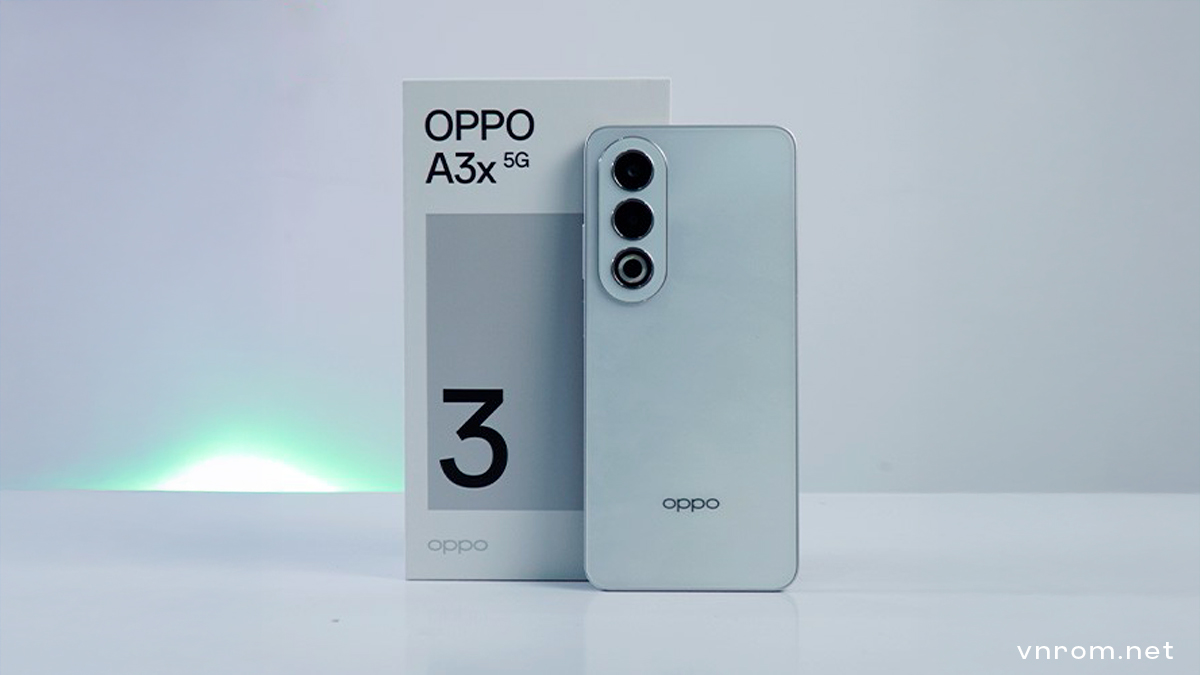
Getting locked out of your smartphone after a factory reset can be extremely frustrating, especially when the device suddenly asks for a Google account you no longer remember. This situation is common on newer OPPO devices, including the VNROM Bypass Oppo A3x 5G, and it happens because of Google’s Factory Reset Protection system. In 2026, FRP security has become stricter, but there are still working solutions when the phone is legally yours.
This updated guide explains how users are bypassing FRP on the VNROM Bypass Oppo A3x 5G using modern VNROM-based access methods and OPPO’s own system tools. The goal here is clarity, safety, and practicality—without confusing technical language.
Why FRP Lock Appears on VNROM Bypass Oppo A3x 5G
FRP, or Factory Reset Protection, is a security mechanism built into Android devices starting from Android 5.1 and above. Once a Google account is added to a phone, FRP activates automatically. If the phone is later reset using recovery mode or hardware buttons, the system assumes a potential theft scenario.
On the VNROM Bypass Oppo A3x 5G, this means that after resetting the device, you must log in with the same Google account that was previously synced. If the account details are forgotten, unavailable, or belong to a previous owner, the phone becomes unusable.
This issue commonly happens when:
- A used phone is purchased without proper account removal
- A device is reset after long-term storage
- The owner forgets Google login credentials
What VNROM Means in FRP Bypass Context
VNROM is not an official OPPO or Google service. It is a third-party platform that provides shortcut access paths during Android setup. These paths help users reach system settings or utilities that are otherwise blocked during FRP lock.
When people search for VNROM Bypass Oppo A3x 5G, they are usually looking for a way to access system settings during the setup phase so they can complete device activation without the old Google account.
From real-world usage, VNROM is mostly used by genuine owners who are locked out of their own devices—not for misuse.
Important Things to Prepare Before Starting
Before attempting any FRP workaround on the VNROM Bypass Oppo A3x 5G, preparation matters more than speed.
Make sure the phone has enough battery power, preferably above 50%, to avoid shutdown during setup. A stable Wi-Fi connection is essential because the method relies on online services and internal apps. You will also need a second smartphone—Android or iPhone—that is already unlocked and connected to the internet.
In some cases, a SIM card may help trigger alternative access options, but it is not mandatory for newer ColorOS versions.
Patience is critical. Rushing steps often leads to failure.
Updated 2026 Method Overview (How It Works Conceptually)
Instead of fighting the FRP screen directly, modern methods focus on redirecting the setup flow. The process generally follows three logical phases:
First, the phone is taken through initial setup until it reaches the Google verification screen.
Second, a system feature or help option is used to open a browser or system utility.
Third, internal OPPO tools—such as device transfer features—are used to complete setup without triggering FRP again.
VNROM’s role is simply to provide the doorway into system settings when normal access is blocked.
Using OPPO’s Built-In Phone Clone Feature
One of the most reliable techniques in 2026 involves OPPO’s own Phone Clone system. This feature is designed for transferring data between devices, but when used correctly, it can also help finalize device setup.
After reaching system settings through browser or help-based access, the Clone Phone tool allows the locked VNROM Bypass Oppo A3x 5G to behave like a “new device” receiving data. When paired with another phone, the system temporarily skips Google verification to complete the transfer process.
Only minimal data transfer is required—often a single small utility—just enough to allow the setup to finish properly.
Once the process completes, the phone proceeds to the home screen without asking for the old Google account.
Why This Method Still Works in 2026
Even with stronger Android security, manufacturers like OPPO continue to include user-friendly migration tools. These tools are meant to help people switch devices easily, and they operate at a system level.
Because the Phone Clone process is considered a trusted action, it can override the setup flow when used at the correct stage. VNROM-based access simply helps users reach that stage when FRP blocks normal navigation.
However, results can vary depending on:
- Android version
- ColorOS update level
- Security patch date
There is no universal guarantee.
Common Issues and How Users Handle Them
Some users report difficulty accessing browser features due to updated security patches. In such cases, alternative system help pages or accessibility tools may provide entry points. Restarting the process and ensuring a clean Wi-Fi connection often resolves connection issues between devices.
If Phone Clone fails to connect, restarting both phones and retrying usually helps. Compatibility between OPPO, Realme, and OnePlus devices is generally strong because they share similar system frameworks.
What to Do After Successful FRP Bypass
Once access is restored, users should immediately add a new Google account and remove any unknown accounts if visible. This ensures the device remains usable after future resets.
For complete safety, many users choose to perform another factory reset—this time from within the system settings—after removing all accounts. Doing so prevents FRP from activating again.
Legal and Ethical Reminder
FRP bypass methods should only be used on devices you legally own. Unlocking phones of unknown origin or without permission is illegal in many regions. This guide is intended for educational and recovery purposes only.
Final Thoughts
Being locked out of an VNROM Bypass Oppo A3x 5G can feel overwhelming, especially when important data or daily communication depends on the device. In 2026, VNROM-based access combined with OPPO’s internal tools remains a practical solution for many genuine users.
The key is patience, careful execution, and understanding that no bypass method is permanent or guaranteed. Security systems evolve constantly, and responsible usage is always the best approach.
If you’ve reached this point, chances are you’re just trying to get your own phone working again—and that’s completely understandable.
Frequently Asked Questions
Is VNROM an official OPPO service?
No, it is a third-party access platform.
Will this work on all Oppo A3x 5G units?
Success depends on Android and ColorOS versions.
Can FRP return after an update?
Yes, if the device is reset without removing the Google account.
Is this method safe?
It is generally safe when done correctly, but always use trusted sources.
What is the best long-term solution?
Recovering or securing your Google account is always the safest option.