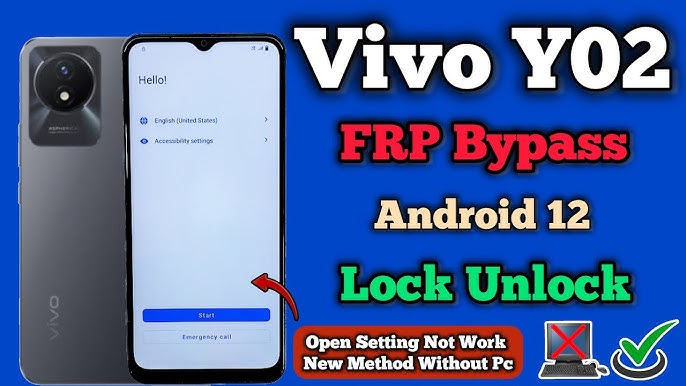
Factory Reset Protection (FRP) is a useful Android security feature, but it can become a serious problem when you forget your Google account details. Many Vivo Y17s users face this issue after resetting their phone and getting stuck on the Google verification screen. In such cases, VNROM Bypass Vivo Y17s methods are commonly searched to regain access to the device.
This detailed guide explains how FRP works on Vivo Y17s, how VNROM-based solutions help, and what options are available in 2026 for Android 13 and Android 15 users. The article is written for educational purposes and focuses on safe, widely used techniques.
What Is FRP Lock on Vivo Y17s?
FRP (Factory Reset Protection) is automatically activated when a Google account is added to an Android phone. After a factory reset, the device asks for the same Google ID that was previously synced. If you don’t remember the credentials, the phone becomes unusable.
On Vivo Y17s, FRP is more secure due to updated Android versions and Vivo’s custom security layers. That’s why many users look for alternative unlock guides when official recovery is not possible.
Understanding VNROM Bypass Solution
VNROM is a well-known platform that provides Android utility tools, APKs, and activity launchers used to bypass Google verification screens. These tools do not modify system files directly but help users access hidden settings to remove the locked account.
For Vivo devices, VNROM-based approaches are often used because they are simple and do not always require a computer.
VNROM Bypass Vivo Y17s – How It Works
VNROM Bypass Vivo Y17s method typically uses a combination of browser access, APK installation, and system settings navigation. The goal is to reach Google account settings and remove the previously synced account.
This approach works differently depending on:
- Android version (13 or 15)
- Security patch level
- Internet connection availability
FRP Unlock on Vivo Y17s Without Using a Computer
Many users prefer a no-PC solution because they don’t have access to laptops or flashing tools. VNROM-based APKs are popular for this reason.
Common Requirements
- Stable Wi-Fi connection
- OTG cable (in some cases)
- Access to a browser or file manager
- Battery above 40%
These methods are designed to work directly on the phone, making them suitable for beginners.
VNROM APK for Vivo Y17s – Safe Usage Tips
VNROM APK files are often used to launch hidden Android activities such as:
- Google Account Manager
- Settings shortcuts
- System UI controls
When using any APK:
- Always use updated versions
- Avoid modified or suspicious files
- Do not grant unnecessary permissions
Using VNROM tools responsibly reduces the risk of data loss or system errors.
Vivo Y17s FRP Bypass on Android 13
Android 13 introduced stronger background app restrictions, which made FRP bypass more difficult. However, some VNROM-based methods still work by redirecting users through accessibility settings or notification panels.
On Android 13:
- Browser-based redirects are limited
- APK installation needs manual permission
- Multiple attempts may be required
Patience is key when following these steps.
Vivo Y17s FRP Bypass Android 15 (Latest Security)
In 2025, Vivo Y17s devices receiving Android 15 updates have even tighter security. Google has blocked many old loopholes, but users still report success using updated VNROM utilities.
Android 15 highlights:
- Restricted unknown app installs
- Stronger Google account verification
- Limited accessibility exploits
Because of this, only updated VNROM tools should be used with Android 15.
Vivo Y17s FRP Bypass 2025 – What’s Changed?
Compared to older years, FRP bypass in 2025 is more controlled. Random shortcuts no longer work, and outdated APKs fail to open system settings.
What still works:
- Updated activity launcher tools
- Secure browser redirection
- Manual Google account removal through settings
Users should avoid fake “one-click unlock” claims, as they often lead to scams.
Is VNROM Bypass Free for Vivo Y17s?
Most VNROM resources are shared freely for educational purposes. However, some third-party websites may charge money for repackaged tools.
Important advice:
- VNROM itself does not require payment
- Avoid sites asking for subscriptions
- Never share personal Google details
Free solutions are available, but they must be used carefully.
Legal and Ethical Considerations
FRP bypass should only be performed on:
- Your own device
- A phone with owner permission
- A legally purchased smartphone
Bypassing security on stolen or unauthorized devices is illegal and unethical. This guide is intended to help genuine users who are locked out of their own phones.
Common Issues During FRP Bypass
Some users may face problems such as:
- APK not installing
- Settings not opening
- Phone restarting automatically
- Google verification returning again
In such cases:
- Restart the device
- Clear browser cache
- Try an updated VNROM method
- Ensure correct Android version compatibility
FAQs – VNROM Bypass Vivo Y17s
What is VNROM used for?
VNROM provides Android tools and APKs that help users access hidden system settings, often used in FRP unlock processes.
Can Vivo Y17s FRP be removed without a PC?
Yes, many users successfully unlock their devices using phone-only methods without connecting to a computer.
Does FRP bypass delete phone data?
Most methods focus on removing Google account verification and do not restore previous data.
Is VNROM Bypass Vivo Y17s safe?
If used correctly and from trusted sources, it is generally safe. Avoid modified or unknown files.
Does this work on Android 15?
Some updated VNROM-based approaches still work on Android 15, but success depends on security patch level.
Final Thoughts
Getting locked out of your phone can be stressful, especially when you don’t remember old Google credentials. VNROM Bypass Vivo Y17s solutions remain popular in 2025 because they offer flexible options for Android 13 and Android 15 users without requiring advanced technical skills.
Always use updated tools, follow steps carefully, and ensure you are unlocking a device you legally own. Responsible usage is the key to avoiding problems and keeping your device secure.